
Auto Mode
Start with one click and let the app create a DJ-style music player experience from your own files.
My Personal DJ
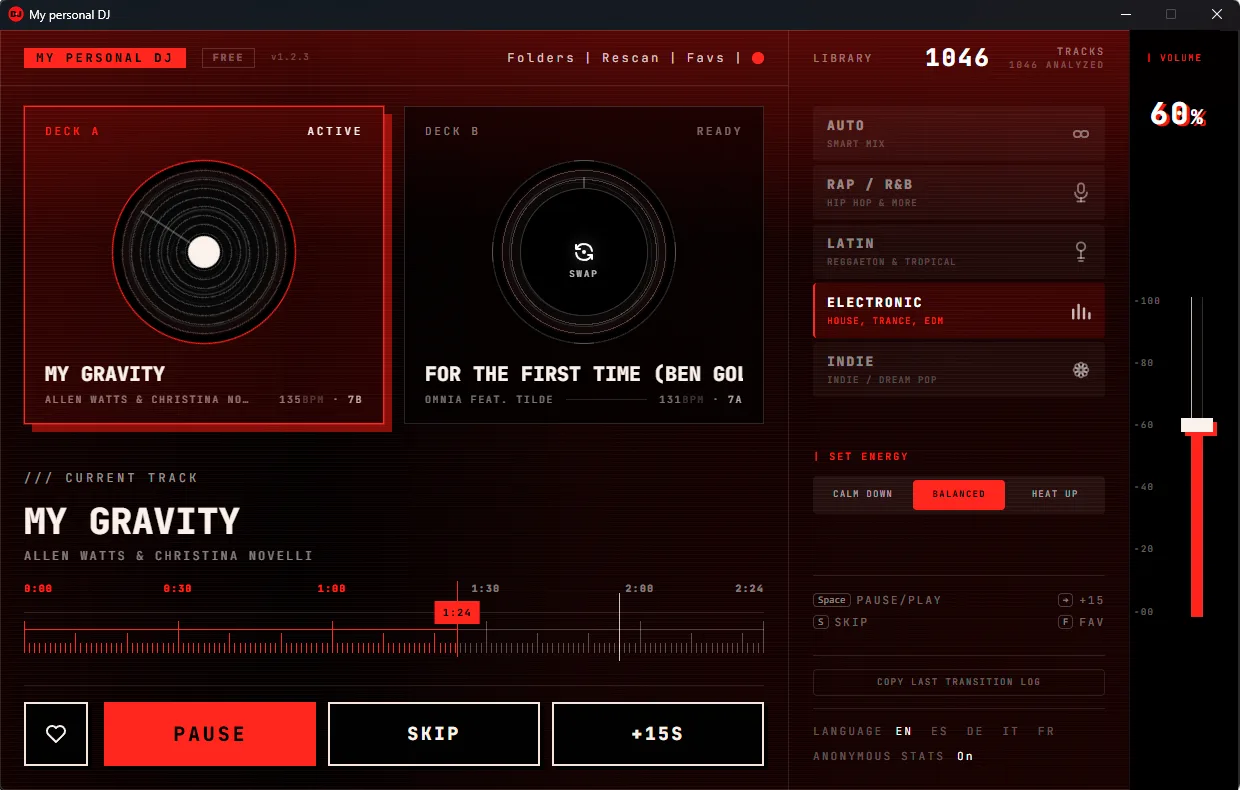
Pick a folder, choose the vibe, and let your local music files play as a smooth continuous DJ-style set.
“Excellent automatic DJ-app that can help you mix your local music files in deejay style”
Local-first
Works with your own music files, not another streaming subscription.
Always fresh
Every session builds a new playlist. Different tracks, different order - the app remembers recent plays so your library never feels stale.
Made for everyone
Perfect for home parties, workouts, cafés, small venues, and daily listening.
Features
My Personal DJ is an automatic music mixer for normal listeners who want their own local music files to play like a smooth DJ-style set.
Start with one click and let the app create a DJ-style music player experience from your own files.
Use your own folders and tracks. No streaming subscription, no cloud library, no complicated setup.
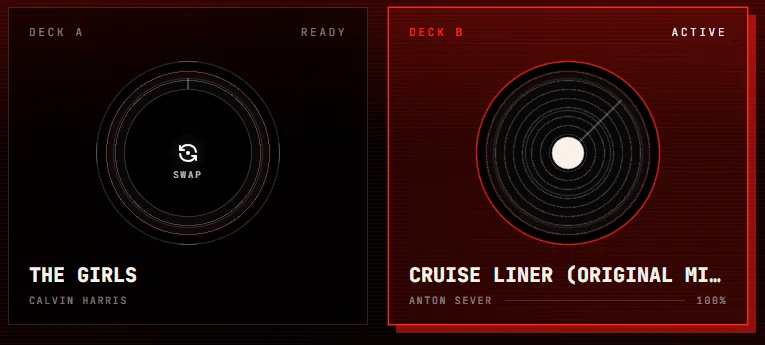
Automatic crossfades between tracks eliminate gaps and keep the mood moving - no abrupt stops, no dead air between songs. Each blend adapts to the music, typically 8 to 30 seconds.
Move from relaxed listening to party mode with a simple energy slider when you want more control.
Rap Mode for hip-hop and R&B, Latin Mode for reggaeton and bachata, Electronic Mode for house and techno, Indie Mode for indie and dream pop. Each mode applies transitions built specifically for that genre.
Every session generates a fresh playlist - different tracks, different order, no quick repeats. The app tracks recent play history across restarts so your whole library gets heard over time.
The problem
Most players just play one song after another. My Personal DJ turns your local music library into continuous music playback that feels more natural, more alive, and closer to a real DJ-style set.
Every session builds a completely new playlist from your library. Different tracks, different order, no quick repeats - and the app remembers what played recently across restarts, so your whole library gets heard over time instead of cycling the same top tracks.
Normal music players leave gaps, silence, or sudden mood changes between tracks.
Streaming playlists are convenient, but they do not use your own carefully collected music library.
Professional DJ software is powerful, but too complex for people who simply want a good continuous mix.
The idea
Pick a folder. Choose the vibe. Let your personal DJ handle the flow.
How it works
My Personal DJ is built for people who want an automatic music mixer without learning complex tools. Your files stay local, and the app handles the flow.
Select the local folder where your music files are stored. My Personal DJ scans your own library and prepares it for playback.
Auto Mode works for any mixed library. Switch to Rap for hip-hop and R&B, Latin for reggaeton and bachata, Electronic for house and EDM, or Indie for dream pop and indie rock - the app adapts its transitions to match your music.
Enjoy continuous music playback with automatic crossfades, fewer awkward gaps, and a flow that feels made for the moment.
No streaming account or DJ controller required. Just your local music library and one simple auto DJ app for Windows.
Technical specs
Pricing
My Personal DJ is not another streaming subscription. It is a local music library player that helps your own files sound like a continuous DJ-style set.
For everyday listening. Drop in your music folder and your library plays as a continuous DJ-style set, automatically.
or $48/year
For people who want full control over the vibe - choose the genre mode, shape the energy, and save unlimited favorites.
one-time payment
For early supporters who want the full personal DJ experience without a monthly or yearly subscription.
A separate venue license for bars, gyms, cafés, and small spaces will be available later. Public music usage may still require the proper music rights in your country.
Download
Start with the free version and turn your local music files, including popular lossy and lossless formats, into continuous DJ-style playback. Paid features can be unlocked later when you want more control.
Free to start. MSI installer also available for advanced users and business setups.
Installation note
Windows may show a security warning before installation because the app is new and not yet widely recognized. This is normal and does not indicate any danger.
FAQ
My Personal DJ is an auto DJ app for Windows that turns your own local music library into continuous DJ-style playback.
Yes. My Personal DJ automatically crossfades between tracks in your local music library. The crossfade style and timing adapt to the music - smooth blends, no abrupt stops, no silence between songs.
No. My Personal DJ works with your own local music files. It does not provide music and does not require a streaming subscription.
No. It is not meant to replace tools like Serato, rekordbox, Traktor, or VirtualDJ. My Personal DJ is built for normal users who want their own music library to play like a smooth DJ-style set.
The app supports common audio formats such as MP3, WAV, FLAC, APE, and other main lossy and lossless formats.
Yes. You choose a folder on your computer, and the app scans your local music library to create continuous DJ-style playback.
No. You do not need decks, controllers, mixers, or DJ hardware. The app is designed to work directly on your Windows computer.
The first version is focused on Windows. macOS and mobile versions for Android and iPhone are planned for the future.
Yes. The free version lets you scan your local music folder and generate unlimited DJ-style sets automatically, so you can experience the full idea before upgrading.
After you buy Plus, your license key arrives by email within a few minutes (payment is handled by Lemon Squeezy). In the app, click the Free badge next to the My Personal DJ logo in the top-left corner, paste your key into the activation window, and press Activate. The badge switches to Plus and every feature unlocks right away. You can also activate from any Get Plus dialog through the activation link. If you lose your key, you can recover it anytime at app.lemonsqueezy.com/my-orders.
During the beta stage, Windows may show a warning before installation because the app is still new. This does not mean the app is dangerous - it only means Windows does not recognize it yet.
The app can be useful for small venues, but public music usage may require the proper music rights in your country. A separate venue license is planned for this use case.
No. Every session generates a fresh playlist with a different track order. The app also tracks your recent play history across restarts, so your whole library gets heard over time rather than cycling the same top tracks. The one exception is your Favorites list - favorited tracks are deliberately woven into every session, so the songs you love always come back.